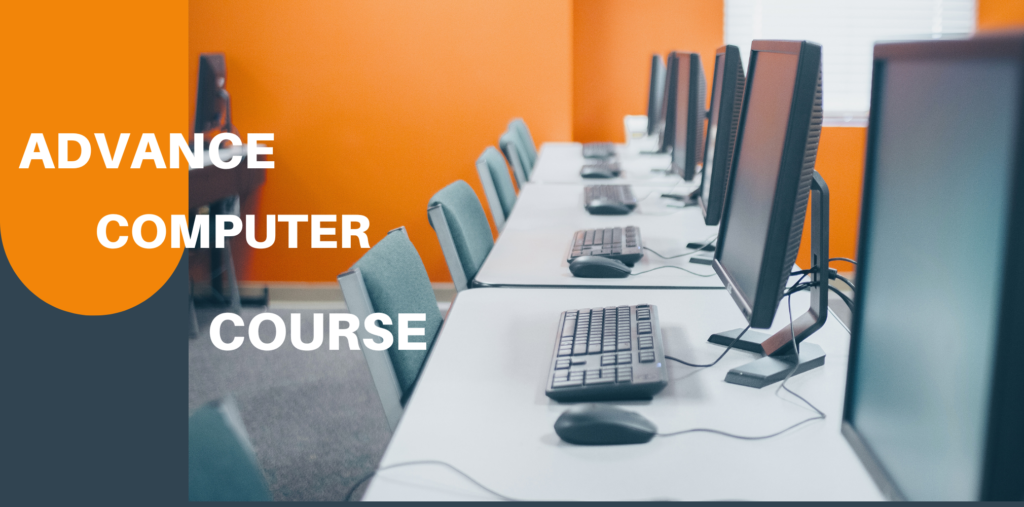
Computer Education
60% of job chances are missed due to lack of computer knowledge alone. Those who have good results along with good computer skills, are far ahead of others when it comes to jobs. Also almost all companies require more than one IT specialist or a computer operator. Those who have limited or basic computer knowledge, they will be able to work as computer operator or IT specialist in any company after completing this course. Today’s world depends on technology. So to learn about technology, we need to take computer education first. On the other hand, computer knowledge is a must for any office job these days. In this course, we will discuss the basics of computer and learn about Microsoft Office including how to type Bengali/English quickly on the computer. So our course is for those who want to learn computer from computer basics to fairly advanced label.

Topics discussed in the class:
- Basic principles of computer:
- Definition of computer:
- Invention of Computer:
- Computer Specifications:
Basic principles of computer:
The modern word Computer is derived from the Greek word “Compute”. Again, the origin of the word computer from the Latin word Computare. The meaning of which is to calculate, if you think about it in that direction, the meaning of calculating machine is special. For example :- Calculator, Counter, Conductor.
Invention of Computer:
Charles Babbage, an English mathematician, invented the first analog computer in 1830. Then Howard Ekin of Hubbard University made a mechanical computer. Later, the digital computer was discovered, which is 200 times faster than the mechanical computer, and it gradually developed into today’s computer. Lord Byron’s daughter ‘Lady Ada Augusta’ created the world’s first computer programmer.
Definition of computer:
A computer converts a bunch of electrical waves into its own signals and solves problems with the help of commands applied by the user”.
Computer Specifications:
Computer features such as accuracy, speed, data storage, automatic operation, endurance, memory, etc.
Use of Computer:
From home to office-court, there is no place where computers are not used, in office work, business-trade, school-college-university, various types of
Computers are used in projects, industries, sports, entertainment, shops, bank-insurance companies, meteorological offices, space stations, etc.
?? And so, to give the youth of the country an opportunity to build a smart career through freelancing, we are getting the opportunity to complete each course of 12,000 to 18,000 taka for 3 to 5 months at only 1490 to 2490 taka. Thousands of young people are now successful freelancers in the last 2 years thanks to Ishikhan.
Those who do not have internet or computer, they will have the opportunity to take the courses live by visiting your nearest Ishikhan agent center. Or you can also learn by collecting DVDs of our live classes.
To know more about our course or to do the course online at home through live classes click here: Computer+IT
Who is taking the class?
Top freelancers, trainers and IT entrepreneurs of the country are taking classes at VDSshine.
Advance Computer Course
Windows Operating System
Computer Fundamentals (Advanced)
Microsoft Word (Advanced)
Microsoft Excel (Advanced)
Microsoft PowerPoint (Advanced)
Microsoft Access
Internet and Email Management
Google Workspace Applications
Accounting Software
Desktop Publishing (DTP)
Programming Fundamentals
Web Designing Basics
Cyber Security and Data Protection
AI Tools and Productivity Tools
Practical Projects
Soft Soft Skills and Professional Development

Computer Fundamentals (Advanced)
Learn advanced computer concepts and develop essential digital skills required in today's workplace.
- Introduction to Advanced Computer Concepts
- Hardware and Software Overview
- Operating System Functions
- Computer Maintenance and Troubleshooting
- Storage Devices and Data Management
Programming Fundamentals
Build a strong foundation in programming concepts.
- Introduction to C Language
- Variables and Data Types
- Operators and Control Statements
- Functions and Arrays
- Basic Program Development
Students interested in software development can continue toward obtaining a Certificate for Software Engineer and other advanced certifications.
Microsoft Word
Develop professional documentation skills.
- Advanced Document Formatting
- Headers, Footers, and Page Layout
- Tables and Charts
- Mail Merge
- Templates and Styles
- Track Changes and Review Tools
Microsoft Excel
Our Microsoft Excel Advanced Course provides practical training in spreadsheet management and business analytics, helping students develop professional Excel skills.
- Formulas and Functions
- Conditional Formatting
- Data Validation
- Sorting and Filtering
- Pivot Tables and Pivot Charts
- VLOOKUP, HLOOKUP, and XLOOKUP
- Financial and Logical Functions
- Data Analysis Tools
- Dashboard Creation
This module is ideal for learners seeking Microsoft Excel from Beginner to Advanced knowledge and advanced excel classes online.
Microsoft PowerPoint
Create professional presentations with advanced features.
- Professional Presentation Design
- Themes and Templates
- SmartArt and Graphics
- Animation and Transition Effects
- Slide Master
- Multimedia Integration
- Presentation Delivery Techniques
Cyber Security and Data Protection
Learn essential cyber security concepts and techniques to protect digital information and systems.
Internet Safety
Password Security
Antivirus and Malware Protection
Data Backup Techniques
Cyber Threat Awareness
This module introduces concepts covered in Cyber Security Analyst Course, Cyber Security Specialist Course, and Cyber Security Professional Certification programs, helping students build a strong foundation in information security.
Internet and Email Management
Enhance productivity and communication skills.
- Web Browsing Techniques
- Search Engine Usage
- Email Creation and Management
- Gmail Features
- Google Drive and Cloud Storage
- Online Collaboration Tools
Microsoft Access
Understand database management and reporting.
- Introduction to Database Management
- Creating Tables and Relationships
- Forms and Queries
- Reports and Data Analysis
- Database Maintenance
Accounting Software
Gain practical accounting knowledge through DCA Computer Course modules and Tally training.
- Introduction to Tally Prime
- Company Creation
- Ledger and Voucher Entry
- GST Accounting
- Inventory Management
- Reports and Balance Sheets
Why Choose VDS Shine for Basic Computer Course?
Experienced Trainers
Complete Course Content
Hands-On Training
Beginner-Friendly
Flexible Learning
Affordable Fees
Career-Oriented Skills
Personalized Support
Certificate of Completion
Trusted Institute
Soft Skills and Professional Development
Soft Skills and Professional Development
Improve workplace and communication skills.
- Typing Speed Improvement
- Communication Skills
- Interview Preparation
- Resume Writing
- Workplace Productivity
- Digital Etiquette
Course Duration
- 3 Months
- 6 Months
- 1 Year
Suitable For
- Students
- Job Seekers
- Office Professionals
- Entrepreneurs
- Beginners Looking for Advanced Computer Skills
Book a meeting to get started
